
Using the method described in my previous article, you can easily see the benefit to bypass censorship. By using the set up previously described, you can encrypt all your traffic through the proxy and therefore appear as if you are only having one long SSH connection.
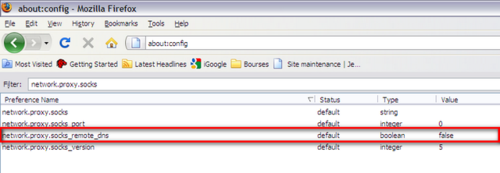
But in addition, it can be a good idea to configure Firefox to use the
proxy to resolve the DNS requests (in case the DNS server you are using
are “filtered”). To do so, type “about:config” in the adress bar and
change the setting of network.proxy.socks_remote_dns from false to
true as shown below.
For the time being, comments are managed by Disqus, a third-party library. I will eventually replace it with another solution, but the timeline is unclear. Considering the amount of data being loaded, if you would like to view comments or post a comment, click on the button below. For more information about why you see this button, take a look at the following article.